 Thread Exhibit
Conversation record
Export texts and chats to a PDF you can file
Every message numbered. Every time shown with its time zone. A SHA-256 fingerprint of the file it came from. All made on your device.
Coming soon to the App Store for iPhone, iPad and MacNo store link yet. Questions before launch: support@threadexhibit.com
- Messages
- Telegram
- Messenger
- LINE
The record
Every page accounts for itself
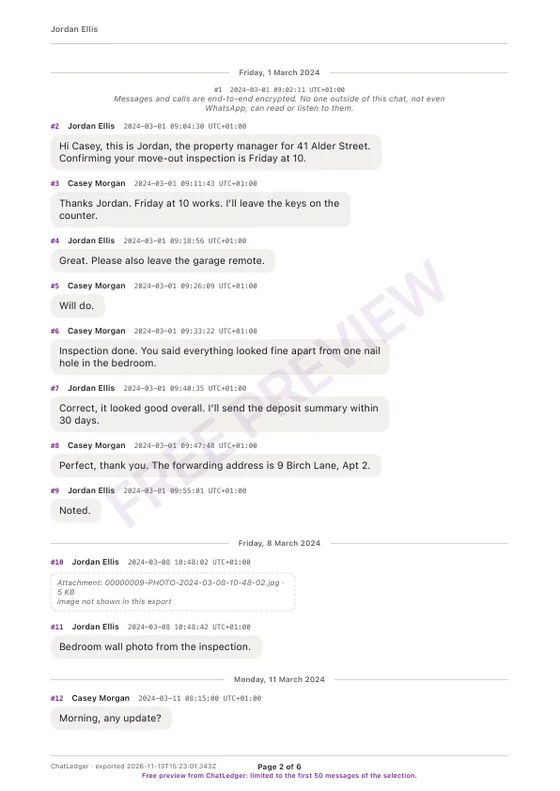
- Time zoneExact timestamps with time zoneEach message shows its date and time and the zone it was read in. Where an export has no time zone, such as WhatsApp, the zone you chose is printed.
- Page X of YNumbered messagesEvery message keeps its number from the full conversation. Every page says which page it is.
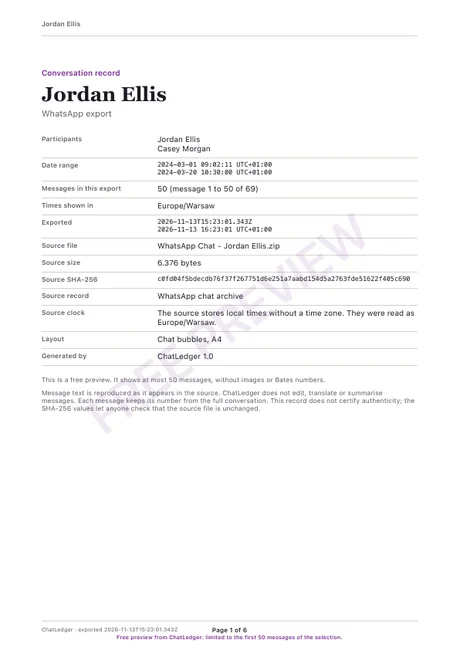
- BatesOptional Bates numberingAdd a prefix such as SMITH- and each page is stamped with a Bates number.
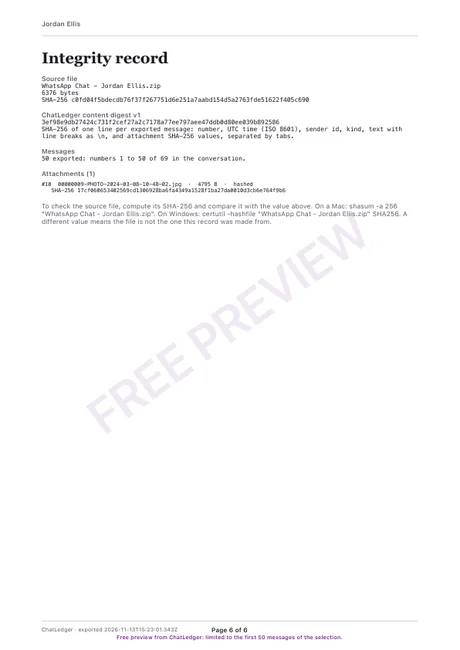
- SHA-256Hashes you can checkOf the source file and of each attachment, printed on an integrity page with instructions to check them.
- DeclarationAn optional declaration pageWho exported what, from where and when, with lines for name, signature, date and place.
- CSV, TXTAttachments, CSV and TXTImages can appear in the PDF. The same messages export as CSV or TXT for a spreadsheet.
Thread Exhibit makes records for exhibits and files. It does not certify that a conversation is authentic, and it is not legal advice: a lawyer decides how a record is used.
What it reads
The exports you already have
Thread Exhibit reads files that you make with each app’s own export. It never signs in to an account and never asks for a password.
Messages
Texts and iMessages. On a Mac, read straight from the Messages library you choose to open. On iPhone, through a Shortcut that runs on your device.
The chat export file, with or without media, from iPhone or Android, in many languages and 12 or 24 hour clocks.
Telegram
Telegram Desktop’s machine-readable JSON export: one chat or a whole account.
Messenger and Instagram
The JSON files from “Download your information”, as a zip or a folder.
LINE
The text file from “Export chat history”.
Single messages (.eml) and mailboxes (.mbox), grouped into threads.
Apps that offer no readable export are not claimed. Encrypted iPhone backups can’t be read yet.
In the app
Read it first, then export
Messages open as a numbered conversation you can search and filter. Choose the range, the layout and the paper size, then export.
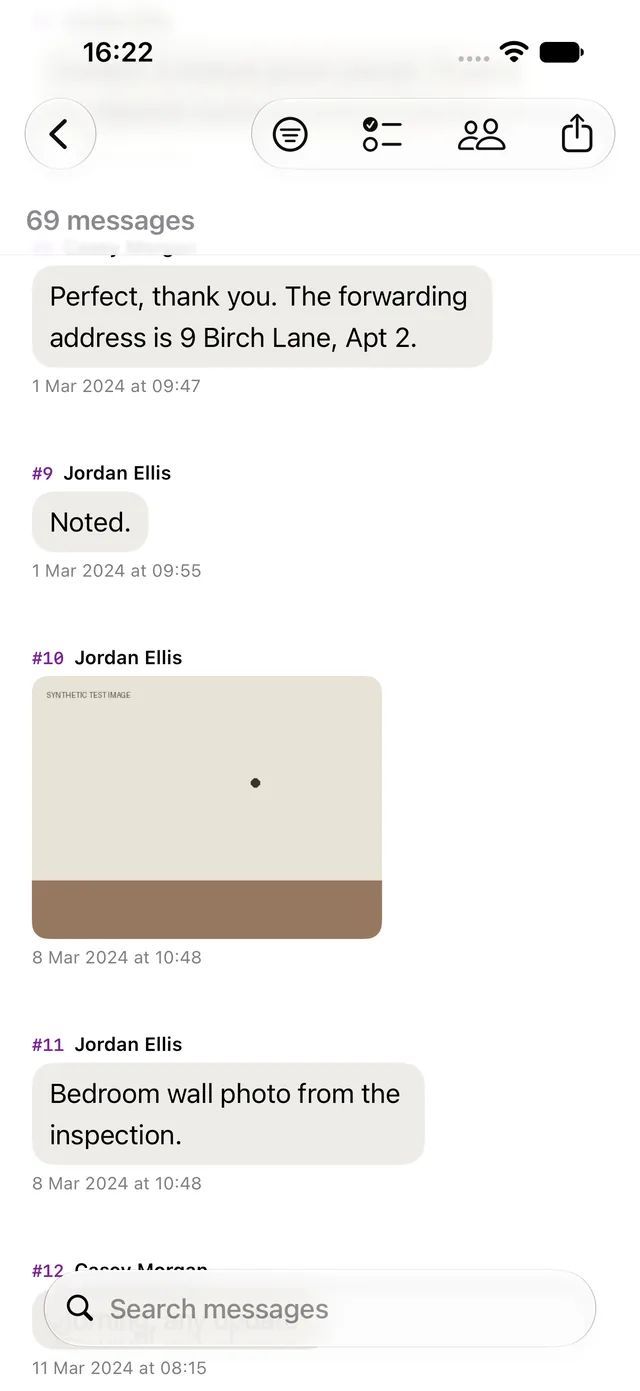
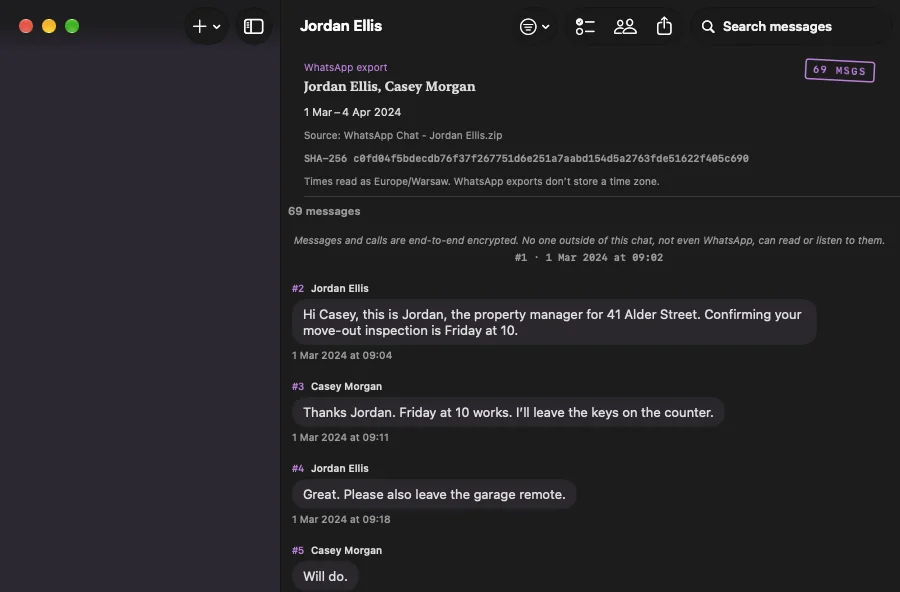
Import, read and preview
- Import, read, search and filter
- A watermarked PDF preview of the first 50 messages, without images or Bates numbers
- The declaration page
The whole record
- Every message, no watermark
- CSV and TXT exports
- Images inside the PDF and Bates numbering
- On a Mac, reading the Messages library and iPhone backups
Private by design
Your conversations never leave your device. Thread Exhibit has no servers to upload them to.
- No account
- No analytics and no tracking
- Files are opened read-only from a private copy
- The only network use is the App Store for purchases
Read the privacy policy.
Questions
Honest answers
Does it read my messages online?
No. Thread Exhibit reads export files that you make and give it, or, on a Mac, the Messages folder you choose to open. It never signs in to WhatsApp, Telegram, Facebook, Instagram, LINE, your email or any other account, and it has no servers to send anything to.
Which apps and files can it read?
Messages (texts and iMessages), WhatsApp exports, Telegram Desktop JSON exports, Facebook Messenger and Instagram “Download your information” JSON, LINE text exports, and email files (.eml, .mbox). On a Mac it can read the Messages library you grant access to and an unencrypted iPhone backup. Encrypted iPhone backups can’t be read yet, and HTML versions of Telegram and Meta exports are refused with a note to re-export as JSON.
How do I get my iPhone texts in?
On an iPhone, Messages come in through a Shortcut that runs on your device (it needs a recent iOS). iOS doesn’t let apps read the Messages database directly. On a Mac the app opens the Messages folder you choose, read-only, from a private copy.
Is the PDF accepted in court?
Whether a court accepts a document depends on the court, the rules where you are and the case. Thread Exhibit makes records meant to be used as exhibits: the text is kept verbatim, every message is numbered and the hashes let anyone check the files. A lawyer decides how it is used. This is not legal advice, and the PDF does not certify authenticity.
What is the SHA-256 hash for?
A SHA-256 hash is a fingerprint of a file. The record prints the hash of the file you imported, so anyone can compute it again and check that the file is unchanged. It also prints hashes for attachments and a digest of the messages themselves. The last page explains how to check them on a Mac or on Windows.
Can I edit messages before exporting?
No. Message text is reproduced as it appears in the source, and the app does not edit or translate it. You choose which messages to include.
What does it cost?
You can import, read, search and make a free, watermarked PDF preview of the first 50 messages. Full exports are paid; the options are shown in the app before you buy, and purchases go through the App Store.
Keep the record, not the screenshots
Screenshots crop context and lose timestamps. A numbered, hashed PDF keeps them.
Coming soon to the App Store for iPhone, iPad and MacNo store link yet. Questions before launch: support@threadexhibit.com